- News
An overview of the programme
Did you know that you can view our full programme on our timetable page or via the TMSQR app? Want to find out more? Read this article!
Timetable
On our website, we have a page where you can view the full programme in the form of a timetable.
TMSQR-app
Would you prefer to see everything at a glance in the TMSQR app? We’ll explain how below!
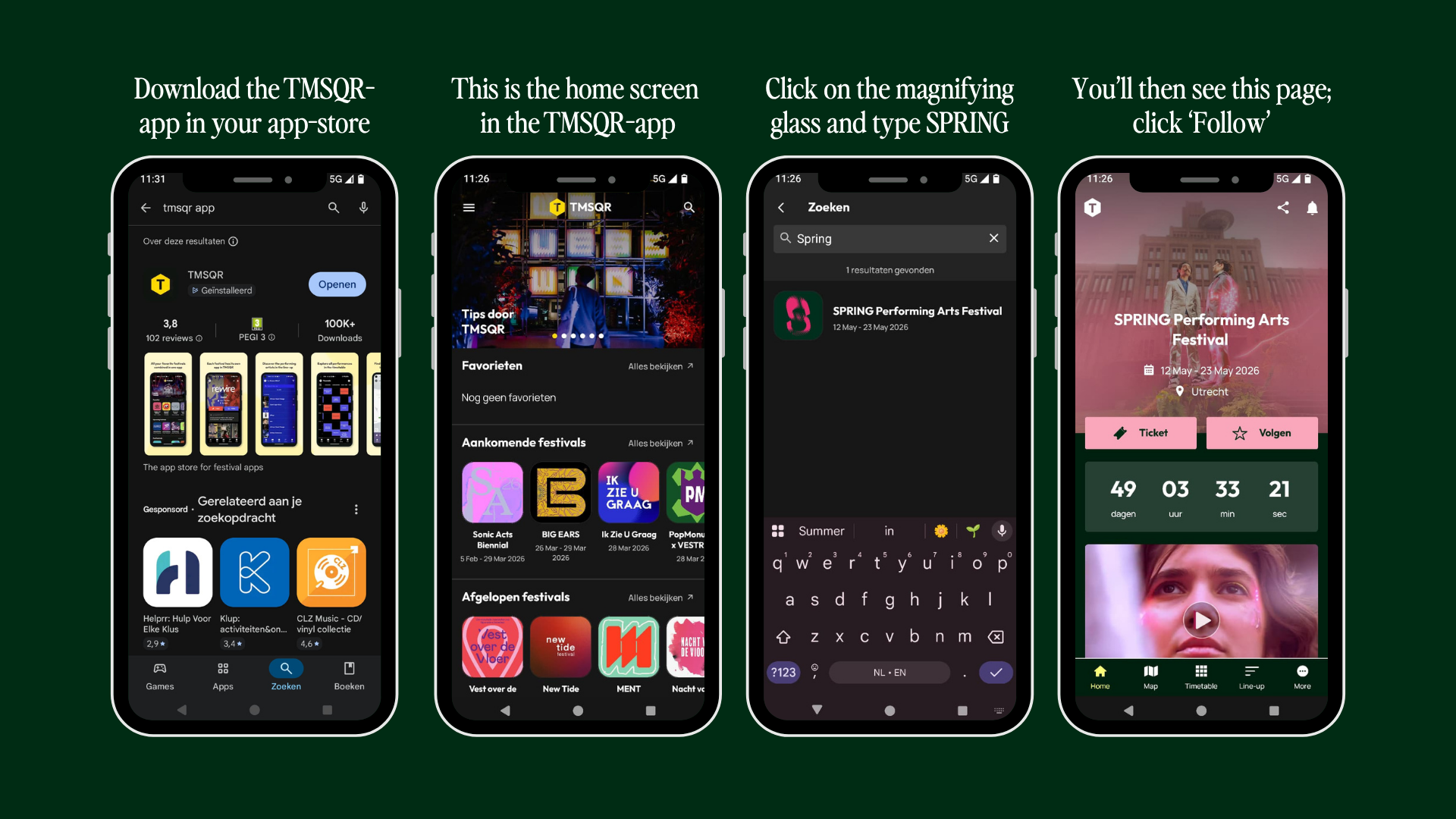
Step 1:
Step 2: Use the magnifying glass icon in the search bar to search for SPRING.
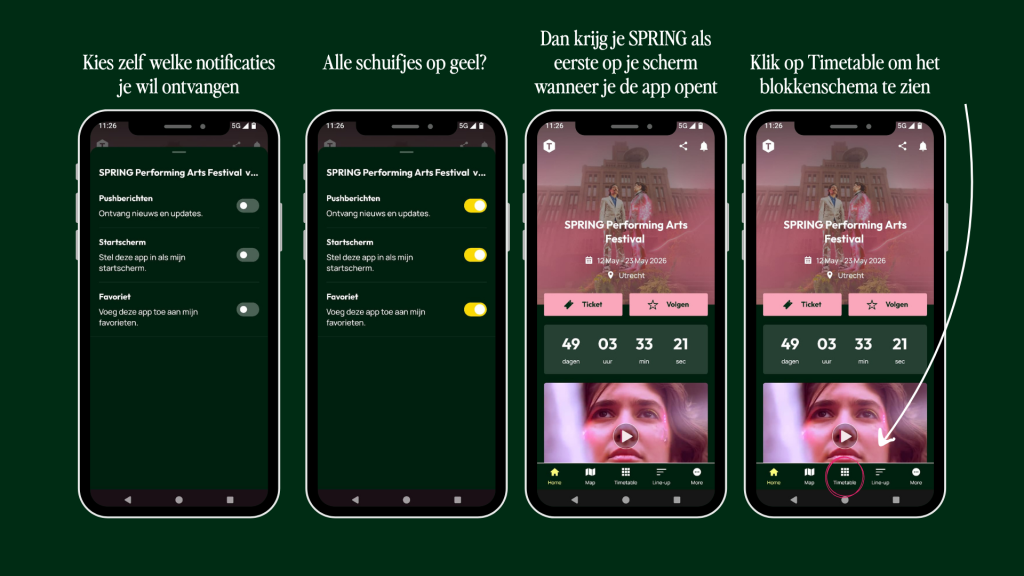
Step 3: Decide whether you want to receive notifications from the app and add SPRING to your favourites so that whenever you open the app, you’ll be taken straight to SPRING.
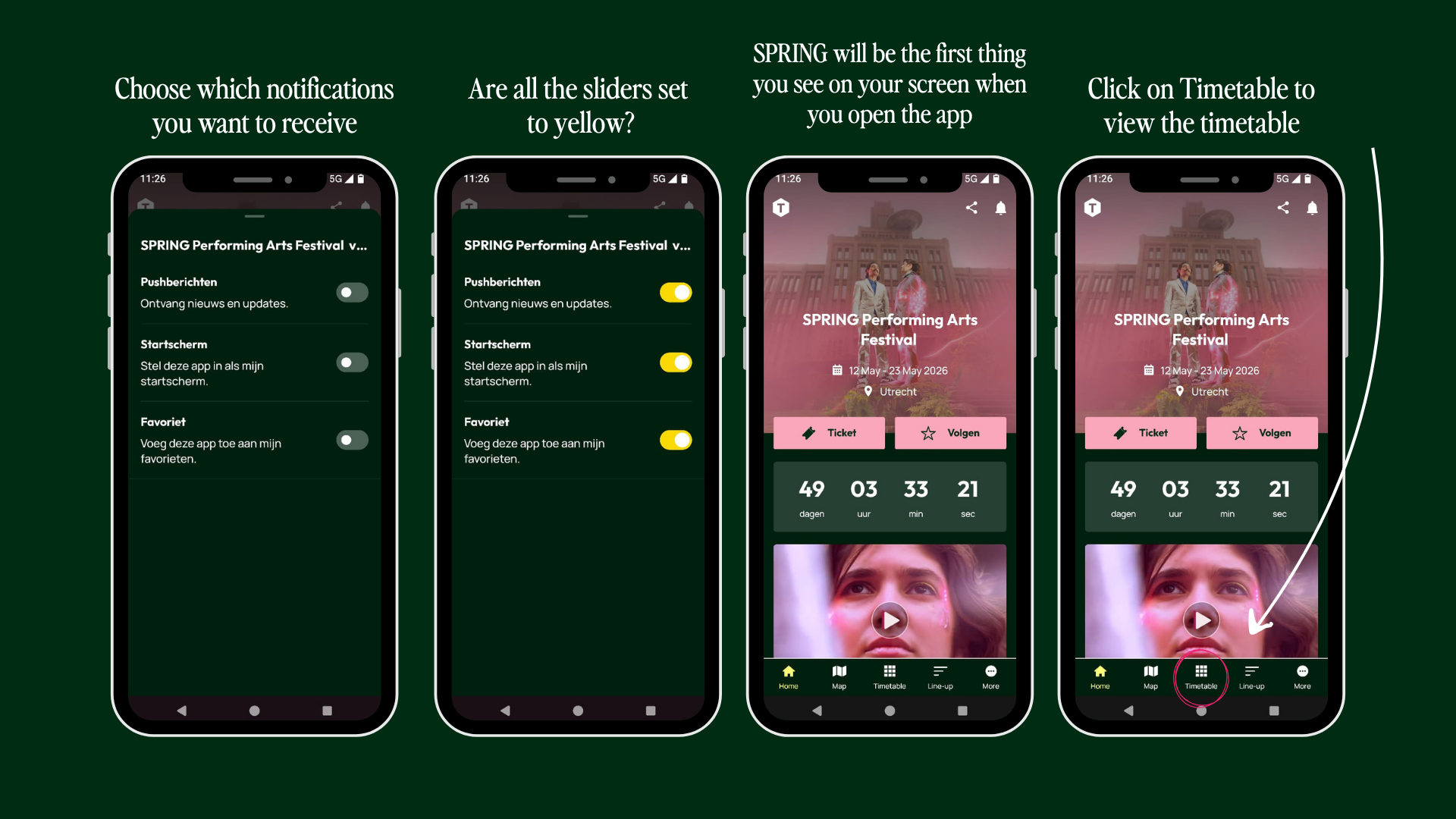
Step 4: You can filter by day and scroll through the timetable from left to right or from top to bottom. Would you prefer to view the timetable as a list? If so, click on the three horizontal lines in the top right-hand corner.
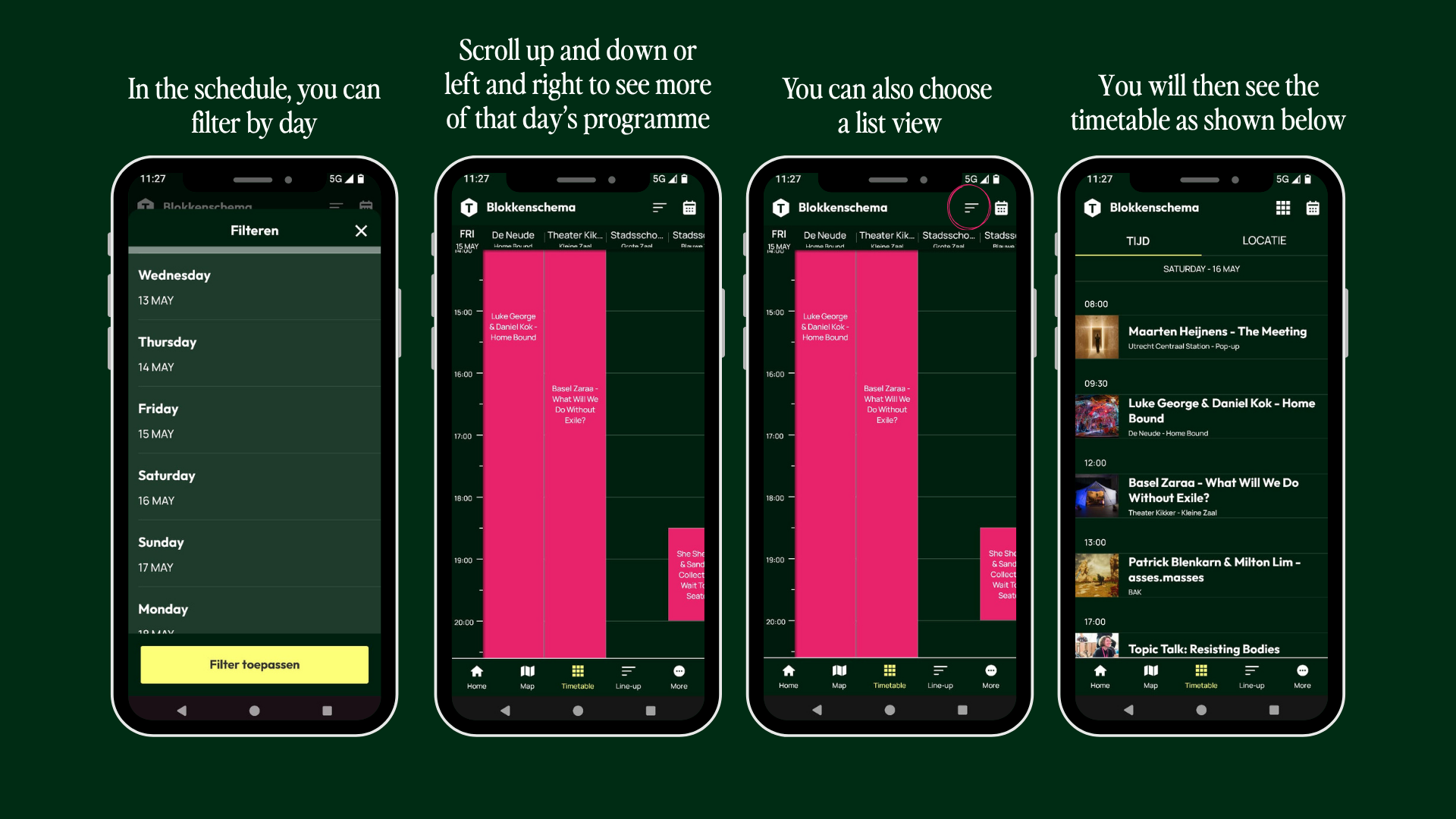
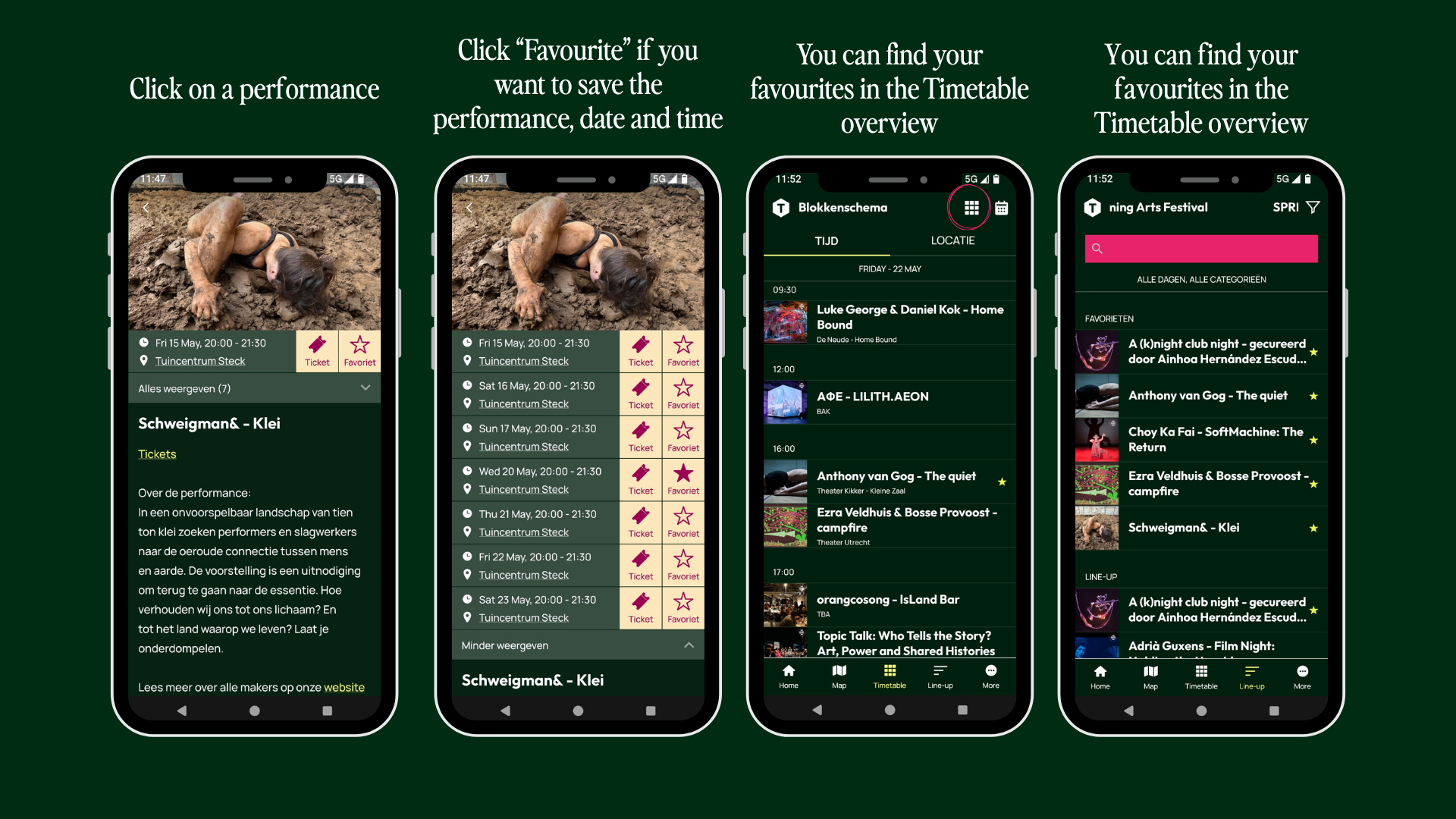
Step 5: Add performances to your favourites so that you can see them in the overview and use them to plan your schedule.